
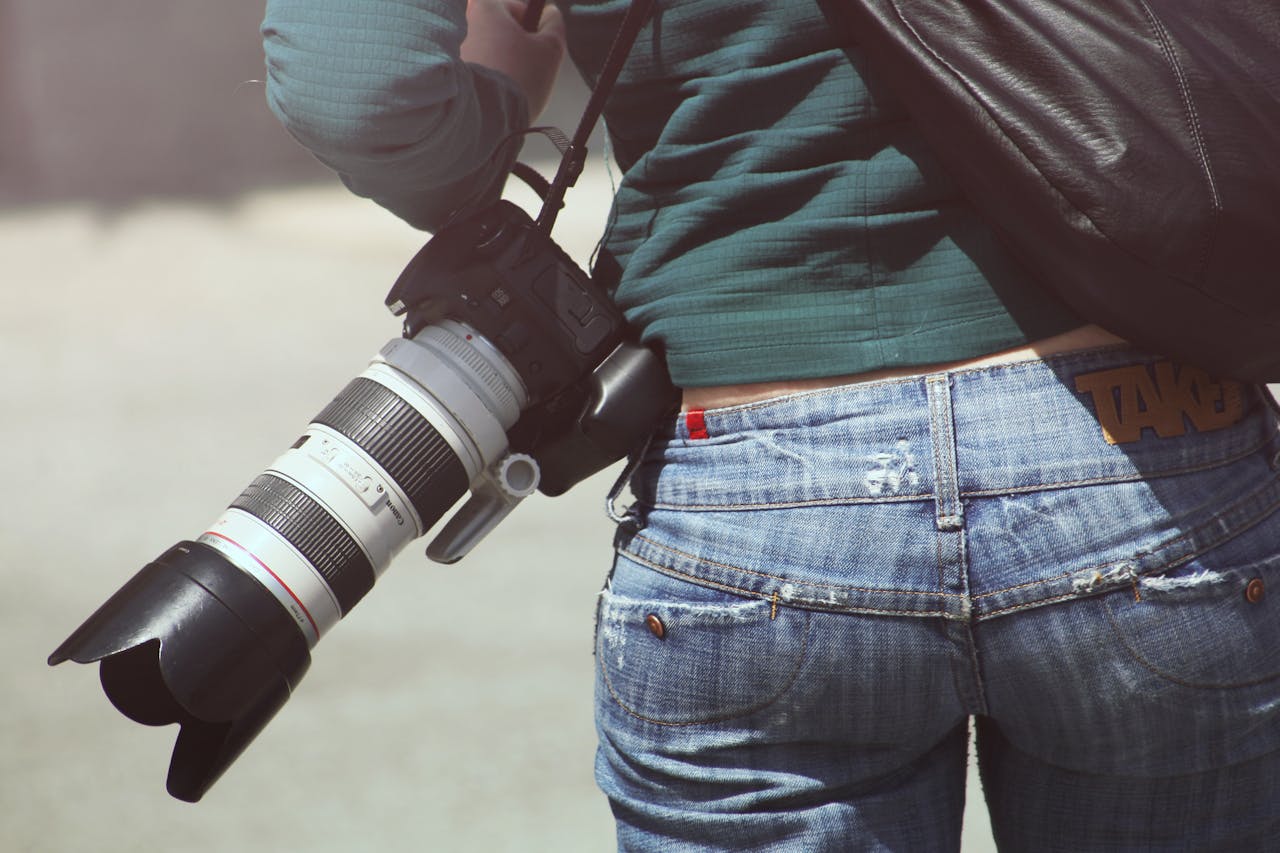
Photojournalism is one of the most demanding and rewarding forms of photography. You are telling stories that matter, under pressure, often in difficult conditions, and your images need to reach editors fast. Breaking in can feel overwhelming. There is the craft itself, the business side, the gear, the ethics, and the logistics of actually delivering your work. This post pulls together practical advice, useful videos, and the tools that working photojournalists rely on to get the job done.
Practical Tips for Getting Started
Michael Brochstein is a working photojournalist based in New York who has covered news, politics, and protests for years. In this video he shares honest, practical advice on how to get started: what to shoot, how to approach subjects, how to think editorially, and what editors actually want to see in a portfolio. If you are just starting out or considering photojournalism as a career, this is one of the best introductions available.
Key takeaways:
- Start by covering what is happening around you. Local news, protests, community events, and city life are all legitimate subjects.
- Think in terms of stories, not single images. Editors want a sequence that tells a narrative.
- Build a portfolio of real editorial work, not staged or conceptual photography.
- Learn to work quickly and ethically. You are a witness, not a participant.
How to Get Assignments
Getting published is one thing. Getting paid assignments is another. Sean Rayford's video How Freelance Photojournalists Get Assignments looks at how freelance photojournalists land work: how to approach editors, pitch stories, build relationships with publications, and move from spec work to commissioned assignments. It also tackles the harsh realities of getting work in the modern age of mass media and what options are available moving forward.
The short version: editors hire photographers they trust to deliver usable work on deadline. That trust is built by showing up consistently, filing clean images with proper metadata, and being reliable. Your delivery workflow is part of your professional reputation.
Documentary and Conflict Photography
For photographers drawn to longer-form documentary work or conflict reporting, the stakes are higher in every sense. This video covers the realities of working in difficult and dangerous environments: preparation, risk assessment, the ethical weight of the work, and what it takes to sustain a career in this space.
Documentary and conflict work demands not only courage and editorial judgment but also a workflow that functions under pressure. When you are filing from a conflict zone or a remote location with limited connectivity, every upload counts. You cannot afford to send the same file five times to five different destinations over a slow connection.
The Editorial Workflow
Once you have images on a card, the work of turning raw frames into published photographs follows a well-established sequence. Understanding each step will help you work faster and deliver cleaner files.
- Transfer files from camera to computer. Use a card reader for speed and reliability. Software like Photo Mechanic, Adobe Bridge, or ZenTransfer can handle ingestion. Use velcro to ensure the card reader and your laptop doesn't separate.
- Cull. Remove the obvious rejects: eyes closed, awkward expressions, soft focus, technical mistakes. Be ruthless. Editors do not want to wade through your outtakes. Learn to delete at this stage, what you cull probably isn't worth keeping.
- Select. There's many ways to select, but think of it as a pyramid. Select broadly, then go over the set again and again until you have a small number of quality photos. Sometimes it must be fast (news!), other times it can take weeks or months (books). Many like to use Star Ratings, applying 1 first, then 2, and so on until you have your final set. You may not want to delete at this stage, as your selection preferences may change as a story unfolds.
- Crop and resize. Tighten your framing. For editorial use, keep the long side at a minimum of 3,000 pixels to remain usable in print. Some have max file size restrictions.
- Color and tonal corrections. Adjust white balance, exposure, and contrast. Photojournalism ethics do not permit manipulation that alters the content of the scene.
- Generate JPGs. Most wire services and newsdesks accept JPEG. Export at high quality from your RAW processor if you shoot in RAW.
- Caption and apply general IPTC metadata. IPTC (International Press Telecommunications Council) fields carry your name, copyright, contact information, caption, location, and keywords. Apply these early so they travel with every file from this point forward.
- Apply custom IPTC for specific clients. Some agencies or publications require specific credit lines, usage rights, or transmission references. Apply these per-destination before sending.
- Upload to clients. Send your final selects to editors, agencies, and archives. (This is where ZenTransfer can help with relaying files to any number of FTP servers, email recipients, and cloud drives simultaneously from a single upload.)
What to Pack
Gear matters less than most beginners think, but packing the right kit for an assignment makes your life significantly easier.
The standard kit for most working photojournalists is two camera bodies for redundancy (if one fails you keep shooting), a 24-70mm and a 70-200mm lens (preferably f/2.8 for low-light performance), and a flash for situations where it is necessary and allowed. Beyond that, pack spare batteries, more memory cards than you think you need, a laptop, a card reader, and a reliable internet connection device such as a mobile hotspot or a dedicated 5G unit.
Using a USB-C card reader will let you use it both with your laptop and on your phone for when you need to ship something off while moving. (FTP in camera is also very helpful for fast transmission.)
But you might not need all that gear, Jonathan Alpeyrie breaks down what you really need, and how you make it survice in extreme circumstances. This video covers a practical packing list for photojournalism work: what to bring, what to leave behind, and how to think about redundancy and reliability when your equipment is your livelihood.
Backup and Protecting Your Work
Losing images in the field is not a hypothetical risk. Cards fail, laptops get stolen, and in conflict zones equipment can be confiscated or destroyed. Protect yourself with a few basic habits.
Shoot with two memory cards simultaneously if your camera supports it. This gives you a live backup of every frame the moment it is captured. At the end of a session, keep the cards in separate locations: one stays with you, the other goes in a different bag, pocket, hotel safe, with a friend, etc. Buy many cards rather than one set of very high capacity cards to spread the risk.
Get files offsite as quickly as possible. In conflict zones this is especially critical. If your camera supports FTP, you can send images straight from the camera to a cloud storage service through ZenTransfer, removing the dependency on a laptop entirely. Even over a slow connection, having a copy of your work stored safely outside the country means that whatever happens to your physical gear, the images survive. For photographers working in less extreme conditions, uploading to a cloud drive at the end of each day provides the same peace of mind. A dedicated mobile hotspot will last a day, but your phone with hotspot turned on might not. A Starlink powered by your car is also a fast way to ship photos off almost anywhere in the world.
Essential Software
Below is a list of software, services, and tools that working photojournalists use regularly.
- Photo Mechanic - The industry standard for fast card ingesting, culling, and IPTC metadata. If you shoot high-volume assignments (sports, news, events), Photo Mechanic's speed at rendering previews and tagging selects is unmatched. It also has built-in FTP for delivery.
- Adobe Bridge - A visual file manager for browsing, rating, labeling, and applying metadata to images. Integrates tightly with Photoshop and Camera Raw. A strong option for photographers already in the Adobe ecosystem.
- Adobe Lightroom - A combined photo library manager and RAW processor. Handles ingestion, metadata, editing, and export in a single application. Widely used by editorial and event photographers.
- Darktable - A free, open-source RAW processor and photo workflow application. A strong alternative to Lightroom for photographers who prefer open-source tools or want to avoid subscription software.
- FileZilla - A free, open-source FTP client. Many newsdesks and wire services still receive images over FTP, and FileZilla is a reliable way to send files manually when you need direct control over the transfer.
- Backblaze is a highly regarded cloud backup service used by many working photographers and journalists. If your laptop is lost, damaged, or encrypted by ransomware, you can restore your entire system or just select files from any point in the backup history.
- ZenTransfer - File transfer and relay service for photo journalists and sports photographers - with a free open-source app for Mac and Windows, a global network of FTP relay servers for fast delivery, and supporting apps on iPhone and Android.
- Photoshop - My laptop feels empty if I don't have Photoshop on it, but it may not be necessary for photojournalists and the editing that is ethically acceptable. But if you do other work too, Photoshop is an invaluable tool, but also check out GIMP as a free, open source alternative if you are just an occassional user and want to keep subscription costs down.
- Cloud Storage - some kind of cloud storage provides you with a backup option while on the move and the ability to share with others. Dropbox and OneDrive are good options, my favourite is Google Drive as you can easily buy as much storage space as you need, which is especially important if you want to store RAWs or shoot video.
- Network Attached Storage - while not software, having a NAS at home is an alternative to cloud storage, and ensures your work is stored on something you both own and control. Some NASes can be made available online so that you can transfer to them while on the move.
Useful Tools
- Depth of Field Calculator - A browser-based calculator for depth of field, hyperfocal distance, and other optical parameters. Useful for understanding how aperture, focal length, and subject distance interact, especially when shooting with fast primes in low light.
- The Photographer's Ephemeris - A web app for planning shoots around the position of the sun and moon. Invaluable for outdoor assignments where the quality and direction of light matters, from golden-hour portraits to architectural work.
- ExifTool - The Swiss Knife of Metadata. Free Open Source. Runs on the command lines and automates and fixes anything you can imagine. A bit hard to learn, but well worth the investment, and new chatbots can help a lot on the way.
- ImageMagick - If you like automating things like resizing or converting to new file formats, ImageMagick is an awesome command line tool that can help with almost any image related task. Again, not for the faint of heart, but try telling ChatGPT what you'd like to do and see magic happen (pun intended).
- FFmpeg - FFmpeg runs the internet, at least when it comes to video. If you thought the two previous ones were hard to learn... This is even harder. But oh so powerful.
Book Recommendations
- The Americans by Robert Frank - Eighty-three photographs that changed documentary photography. First published in 1958, it remains one of the most influential photobooks ever made.
- Henri Cartier-Bresson: The Decisive Moment - The book that defined the philosophy of capturing the right instant. Essential reading for anyone interested in the foundations of photojournalism.
- Magnum Contact Sheets edited by Kristen Lubben - Reveals the editing process behind iconic images from 69 Magnum photographers over seven decades. A masterclass in how great photographers select from a take.
- Shaped by War by Don McCullin - McCullin's coverage of conflict over fifty years, from the Berlin Wall to Beirut. One of the finest bodies of war photography ever produced.
- Eddie Adams: Bigger than the Frame - A career retrospective of the Pulitzer Prize-winning photographer known for "Saigon Execution." Covers Vietnam, immigration, the Middle East, and refugee crises.
- Regarding the Pain of Others by Susan Sontag - A critical essay on how photographs of war and suffering shape public perception. A companion piece to her earlier work On Photography and essential reading on the ethics of the medium.
Further Reading
- World Press Photo - The most prestigious annual photojournalism competition in the world. Studying the winners and nominees is an education in visual storytelling. The foundation also runs exhibitions, educational programs, and supports press freedom.
- NPPA (National Press Photographers Association) - Professional association offering resources, ethics guidelines, legal support, and community for working photojournalists.
- Reuters News Agency - Pictures - Daily wire photography from one of the world's largest news agencies. A good benchmark for the kind of images that move on the wire.
- Visa pour l'Image - The international festival of photojournalism held annually in Perpignan, France. It is the gathering point for the profession: photographers, editors, agency directors, and NGOs come together for screenings, exhibitions, portfolio reviews, and conversations about the state of the craft.
Putting It All Together
The path into photojournalism is not a single step. It is a combination of developing your editorial eye, building a portfolio of real work, learning to pitch and deliver on deadline, and assembling a toolkit that does not get in the way. The videos and resources above cover the creative and business side. On the technical side, a workflow built around fast ingestion (Photo Mechanic or Darktable), reliable delivery (ZenTransfer), and proper metadata means you spend less time on logistics and more time on the work that matters.
Anything I should add to this list? I would love to hear from you!
What do you think?
Your thoughts help us improve our product and serve you better. Please take a moment to share your thoughts and ideas on how we can improve.